
UDP and MUDP USB flash modules: an OEM sourcing guide
- UDP (USB Disk in Package) is a build, not a new protocol: controller and NAND in one monolithic chip that speaks standard USB 2.0/3.0 and mounts like any drive — so the host sees a normal USB device.
- PCB, COB and UDP describe construction choices, not quality grades. None of them alone proves USB-IF compliance, speed or reliability; qualify the actual controller, NAND, firmware, assembly and host behavior.
- An interface label is not a throughput result. UDP products can use USB 2.0 or USB 3.x controllers, so request sustained read/write measurements after cache effects and in the target host.
- Land pattern, pitch, moisture handling and reflow limits are part-specific. Use the supplier drawing and assembly profile; poor placement or process control can cause intermittent enumeration or early failure.
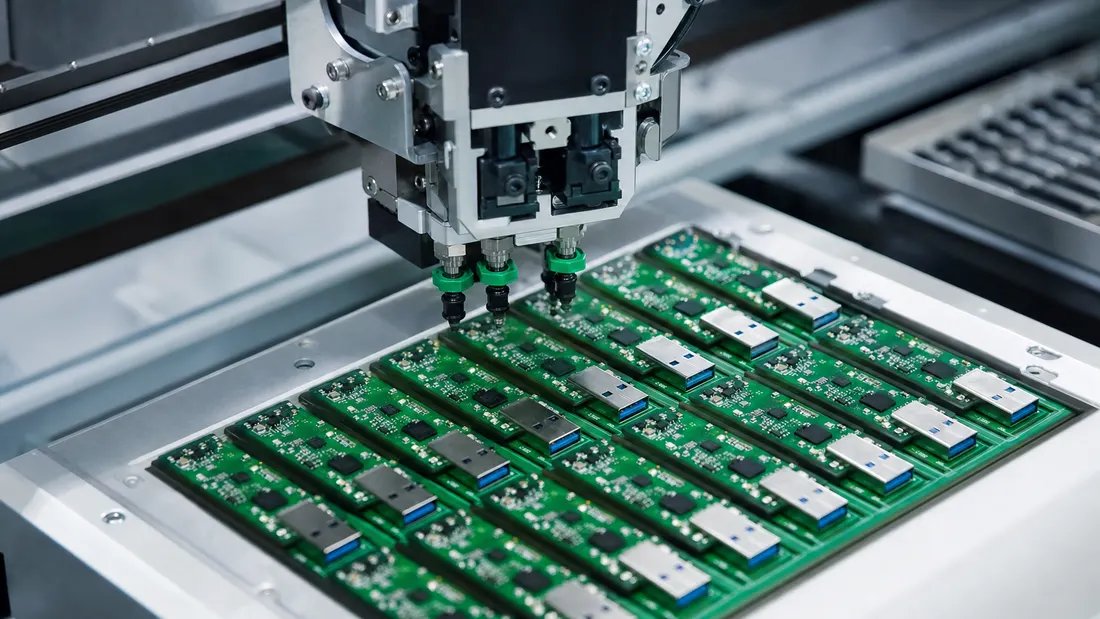
A USB drive does not have to arrive as a finished stick with a plastic shell. For an OEM it can be specified as a component—a compact module soldered to the product board or installed in a minimal enclosure. UDP and MUDP are used where size, connector robustness or integration matter, but the package choice still needs part-specific qualification.
What UDP and MUDP actually are
UDP stands for USB Disk in Package: the USB controller and the NAND flash die bonded and encapsulated into a single monolithic surface-mount chip. The key point — it's a packaging approach, not a new interface. A UDP chip talks standard USB 2.0 or 3.0, formats as FAT32/exFAT, and appears to the host exactly like any other USB mass-storage device. MUDP (mini UDP) is simply a smaller, thinner variant.
UDP vs COB vs PCB
There are three ways to build small USB storage, and they trade size against performance:
| Build | What it is | Trade-off |
|---|---|---|
| PCB | Discrete parts on a small circuit board | Flexible component choice and debug access; size and reliability depend on the design and assembly |
| COB | Dies bonded to a substrate under encapsulant | Compact construction; repairability, environmental rating and performance are product-specific |
| UDP / MUDP | Controller and NAND integrated in a compact package | Small solder-down footprint; exact dimensions, interface and assembly limits are part-specific |
A UDP package can integrate functions that a discrete PCB implements with separate components. The exact external-component requirement and USB contact arrangement depend on the selected module, so the supplier schematic and package drawing remain the design authority.
Why OEMs choose UDP — and why it isn't about speed
The reasons are physical and commercial, not performance:
- Miniaturization — a compact solder-down package can fit inside dashboards, slim devices and sealed products where a finished stick cannot.
- Mechanical integration — encapsulation can reduce exposed interconnects, but moisture, shock, vibration and temperature ratings must be taken from the exact part specification and verified in the final assembly.
- Assembly and supply model — fewer discrete parts may simplify the product design, while tooling, yield, MOQ, lifecycle and second-source constraints still need to be costed.
Do not infer speed from the package. UDP products span different USB interfaces and NAND/controller combinations; a USB 3.x label describes the bus, not sustained NAND throughput. Request measured sequential and random performance with the host, file size, fill state and temperature recorded. If throughput leads the requirement, compare a qualified UDP option with a PCB-based module instead of assuming either construction is faster [1][2].
The one integration constraint that bites
If you're soldering UDP down yourself, assembly control decides whether the electrical design survives production. Pitch, land pattern, stencil, moisture sensitivity, pre-bake conditions and reflow limits vary by package. Poor placement or process control can produce intermittent USB enumeration or latent defects. Use the exact supplier drawing and profile, then validate the assembled board across temperature and repeated connect/disconnect cycles.
The OEM spec checklist
Put these in the order before tooling up:
- Capacity and interface — plus measured sustained read/write, test-file size, host, fill state and temperature; do not rely on “USB 2.0/3.x” alone.
- Construction and assembly — exact package code, dimensions, land pattern, MSL, reflow profile, board-level validation and acceptance criteria.
- NAND type & endurance — the same grade questions apply; for write-heavy roles (in-car logging) check endurance.
- Temperature range for automotive/industrial.
- USB identity and customisation — control VID, PID and serial-number behavior, plus partitioning, write-protect/CD-ROM functions and enclosure or logo requirements.
- Content and verification — if files are preloaded, define hashes, manifests, station control and read-back evidence in a content-loading procedure.
- MOQ, lead time and change control — vet the source, identify controller/NAND/firmware boundaries, and require notice before a qualified configuration changes.
Bottom line
UDP and MUDP make USB storage available as a compact solder-down subsystem. Their value is integration, not a universal promise of speed, reliability or compliance. Freeze the exact part identity, qualify measured performance and host behavior, and validate the supplier-defined assembly process. A Kalstor OEM project can define the module, evidence package and acceptance boundary for the quoted configuration before volume release.
FAQ
What's the difference between UDP, COB and PCB USB drives?
Is a UDP module as fast as a normal USB 3.0 drive?
Can I solder a UDP module onto my own board?
References
We publish measured usable capacity and welcome trial-batch verification — automotive-grade, direct from the source factory.