
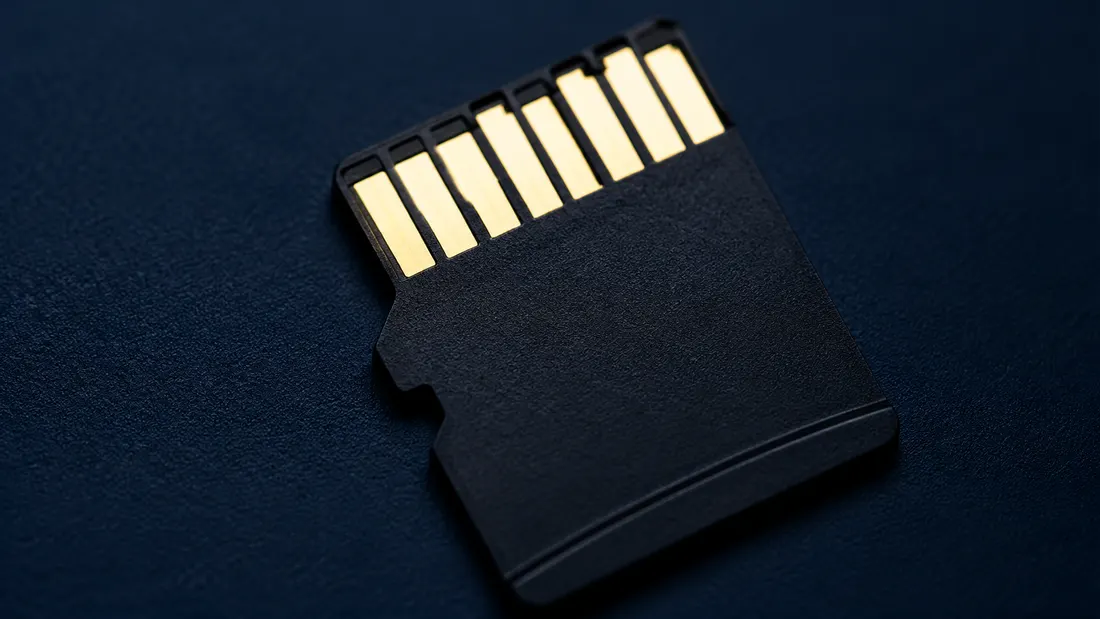
Why 128GB shows 119GB and how to detect fake capacity
- A 128GB card that reads 119GB is correct, not short: 128 decimal GB equals 119.2 GiB, and Windows shows GiB while labelling it GB.
- The same 119GB also appears on a fraudulent card whose controller fakes its capacity — the displayed number alone cannot tell honest from fake.
- A full write-and-verify with H2testw or F3 exercises the reported address range. A sampled tool such as ValiDrive is useful for triage but does not provide the same coverage.
- Judge a supplier on whether they publish measured usable capacity and let you verify a trial batch — not on whether the headline number is round.
A 128GB microSD card lands on your desk, you slot it into a Windows laptop to spot-check the batch, and the drive shows 119GB. If you've been burned before, the first thought is the right instinct: did the factory short me?
Almost always, no. 119GB is the expected number for an honest 128GB card, and you can prove it with arithmetic anyone can do on a phone. But there is a version of this where you really have been shorted — and on Windows it looks identical to the honest one. Telling the two apart is the part that actually protects your money.
The number isn't missing — it's in a different base
Flash makers rate capacity in decimal. One gigabyte means a flat 1,000,000,000 bytes (10⁹), which is how the SD Association and effectively every hard-drive and flash vendor have defined it for decades [1]. Windows measures the same card in binary. It counts in units of 1,073,741,824 bytes (2³⁰) — and then, this is the whole problem, it labels that unit "GB" instead of its correct name, "GiB" [2].
So do the division:
128,000,000,000 ÷ 1,073,741,824 = 119.2
Windows rounds that to 119GB. Nothing is missing. The card holds exactly what the label claims; the operating system is printing the count in a different base and using the wrong name for the unit. Put the same card in a Mac or an Android phone and it reads about 128GB, because those systems report in decimal [2].
That shortfall is a constant ~6.9% wherever a tool counts in binary GiB but writes the label "GB" — so it's predictable for every capacity:
| Rated (decimal) | Windows shows |
|---|---|
| 64 GB | 59.6 GB |
| 128 GB | 119 GB |
| 256 GB | 238 GB |
| 512 GB | 477 GB |
| 1 TB | 931 GB |
It stays ~6.9%, not more, because Windows reports in GiB at every size — a 1TB card reads ~931GB for the same reason a 128GB reads 119. (Decimal and binary prefixes drift about 2.4% further apart at each step, so the same card shown in TiB would read ~9% under — but Windows shows GB, so you see 6.9% [3].)
A little more goes to formatting
A 128GB SD card belongs to the SDXC capacity family and is normally supplied with the exFAT file system [1]. The file system itself needs room for allocation structures, so the free space shown after formatting can be slightly below 119GB. That small difference is also normal.
The part you never see, and shouldn't
One more thing happens out of sight, and it's the neatest part. NAND dies come in binary capacities, so a "128GB" card is typically built from 128 GiB of raw flash — which is 137.4 GB in decimal. The rated 128 GB is what's left after the controller fences off the difference (on the order of 9 GB) as spare area to retire bad blocks and spread wear evenly. So that reserve isn't subtracted from your 128 — it's the gap between the binary silicon inside and the round decimal number on the label. You never see it, and you don't want to.
Now the version that costs money
A fake-capacity card is one whose controller has been reprogrammed to lie. It tells the host it's a 128GB card; the NAND behind it might be 32GB, or 8. Windows still shows about 119GB, because Windows believes whatever the controller reports. It looks exactly like the honest card above — same number, same packaging, and increasingly the same printed part code.
The deception only surfaces when you write past the real capacity. The card accepts the data, reports success, and silently overwrites or drops it. For a distributor that's the worst possible failure mode: it may not show up in a quick receiving check, but later in a customer's device. Packaging, labels and a controller-reported capacity are therefore not sufficient evidence of usable capacity [4].
How to actually tell them apart
You can't eyeball this, and you can't trust the capacity Windows prints, because both honest and fake cards print the same 119. The strongest direct check is a full write-and-verify: write known data across the entire card and read it back. On Windows, H2testw is commonly used; on macOS and Linux, F3 (Fight Flash Fraud) provides the same end-to-end approach. ValiDrive can be used for faster sampled triage, but a sample test does not replace full-address verification when the risk justifies it [5][6].
Do it on a trial batch before you commit to volume. Pull a defined sample, write-verify it end to end, confirm the usable bytes, and cross-check the printed part number against the manufacturer's listing [4]. The detailed procedure is in our fake-capacity test guide; for repeat purchasing, put the method, sample size and rejection rule into a microSD incoming-inspection plan.
The honest number is the measured one
This is why the figure worth comparing is the measured usable capacity, not the rounded number on the label. Ask the supplier to state the test method, host or reader, filesystem, sample size and observed usable range for the quoted part. For a Kalstor OEM project, the capacity target, sample-verification scope and available evidence are confirmed for the specific part number and quotation rather than assumed across every product.
Bottom line
119GB on a 128GB card is a decimal rating shown in a binary unit, not evidence of missing capacity. A fake card can display the same number and is exposed only when the reported address range is tested. For volume sourcing, evaluate the measured result, the sampling plan and lot traceability—not the round number on the label. If you are defining an OEM program, start with the qualification scope before approving a production lot.
FAQ
Is a 128GB card that shows 119GB fake or short?
Why does my phone show 128GB but my PC shows 119GB?
How do I check a card's real usable capacity?
References
- SD Association — Capacity (SD/SDHC/SDXC/SDUC) ↩
- NIST — Definitions of the SI units: The binary prefixes (see also ISO/IEC 80000-13) ↩
- Communications of the ACM — SI and Binary Prefixes: Clearing the Confusion ↩
- SanDisk / Western Digital — SD card specifications and authenticity guidance ↩
- F3 — Fight Flash Fraud (open-source write-verify tool, Mac/Linux) ↩
- GRC ValiDrive (sector-probe capacity checker, Windows) ↩
- H2testw (write-verify capacity/speed test, Windows) — originally published by Heise/c't ↩
We publish measured usable capacity and welcome trial-batch verification — automotive-grade, direct from the source factory.